

The Mockup Builder Skill
Turn Your Real Pages Into the Pictures That Sell Your Membership, In Your Brand
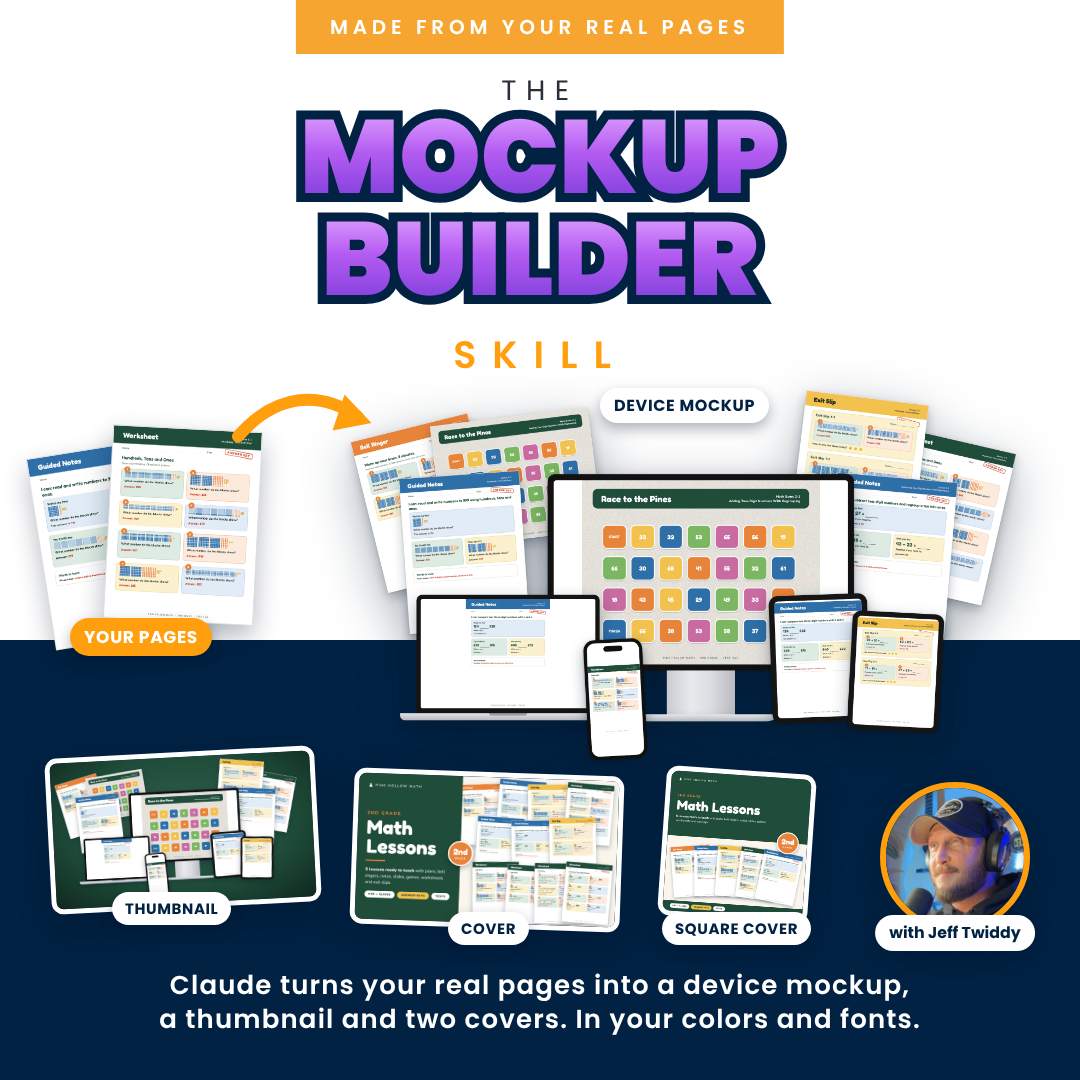
A device mockup, a thumbnail and two covers, made by an AI named Claude from your own pages, in your colors and fonts. You pick the pages and approve every word.
A skill is a set of directions you add to your own Claude. This one turns Claude into your picture maker. You answer one round of questions, say which pages, and say yes.
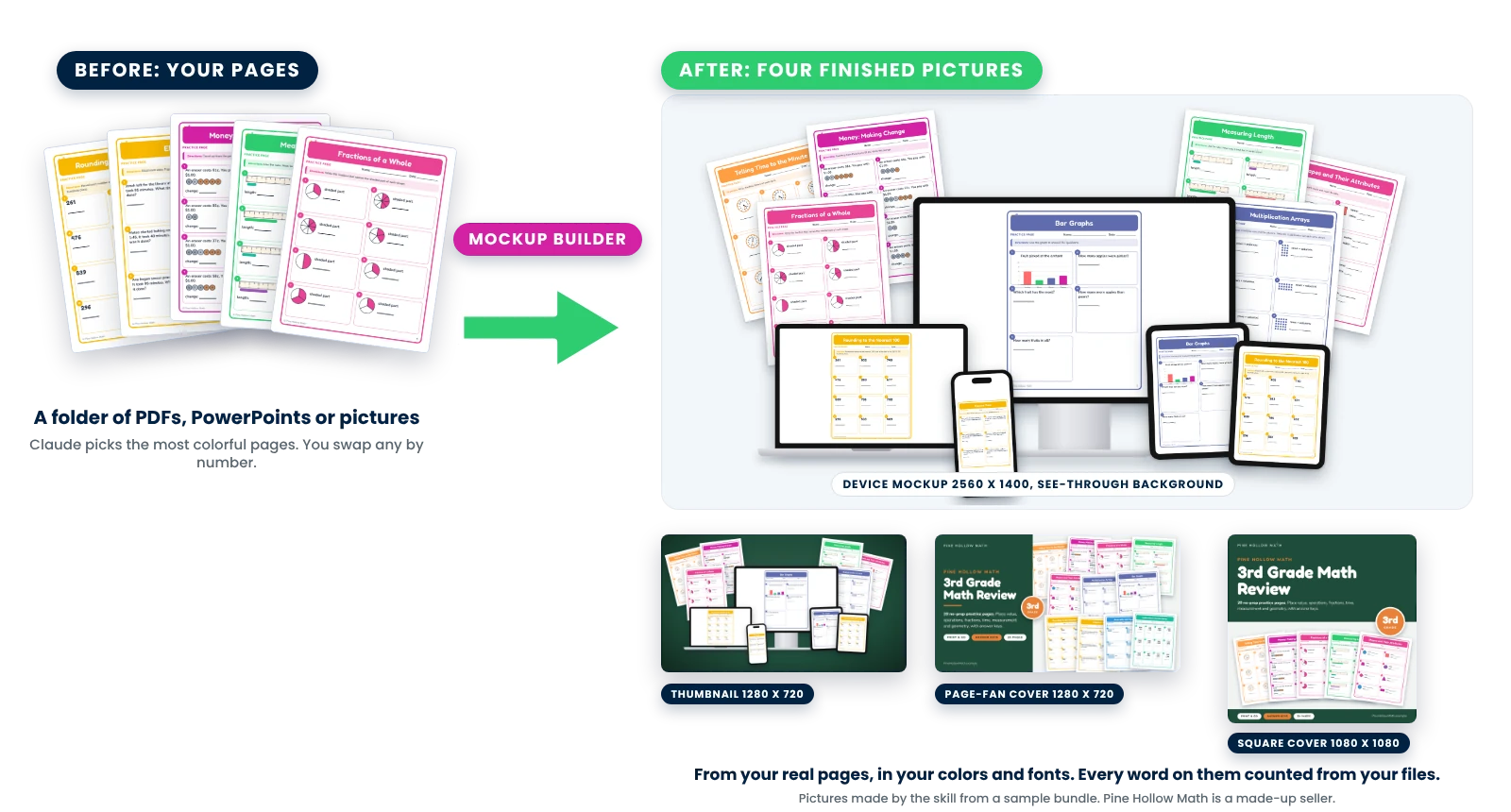
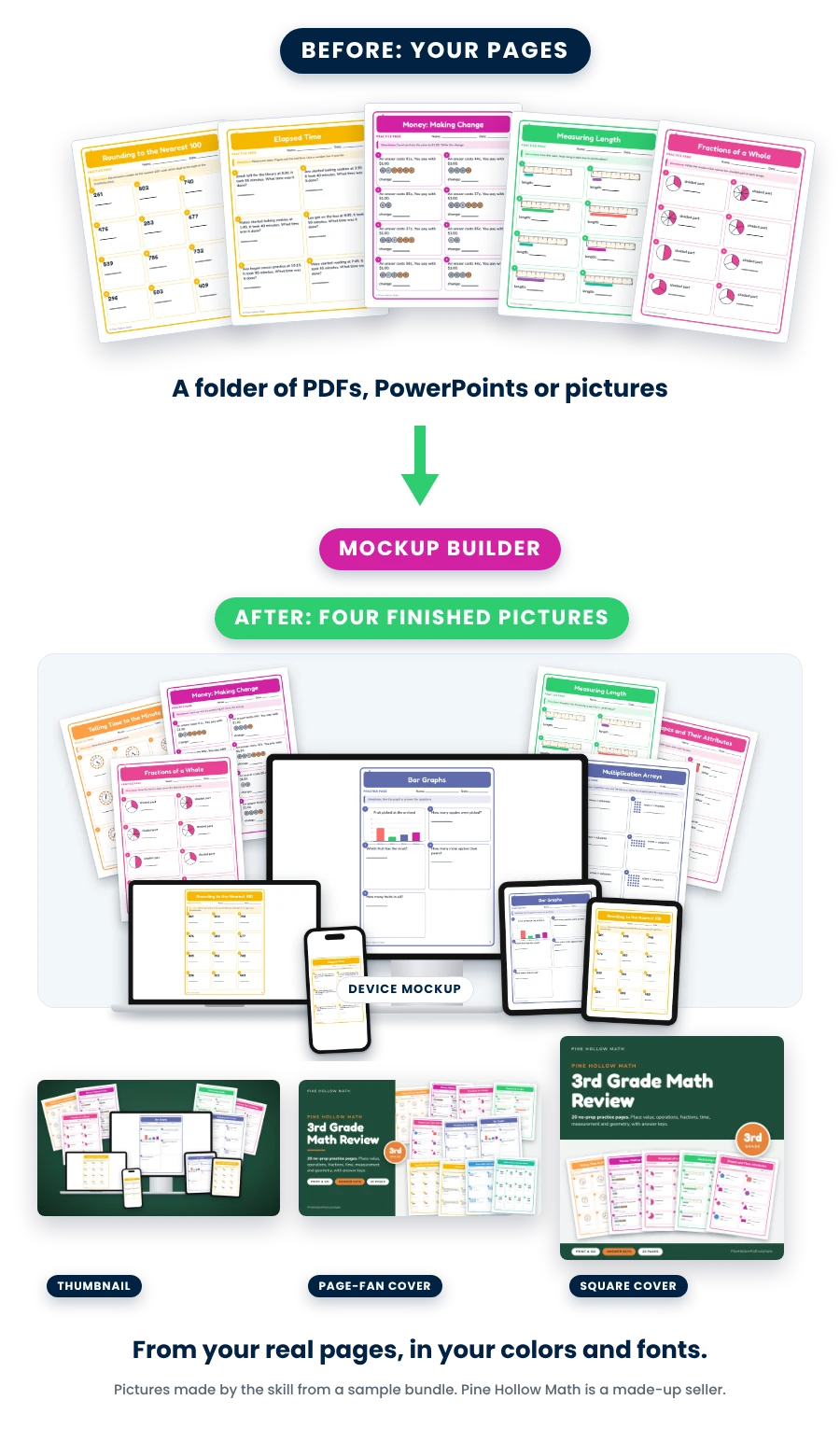
Every picture you see here was made by the skill itself from a sample bundle: 12 real pages in, four finished pictures out. Not drawn by hand.
One payment of $97. Use it on every product you make.
Your pictures are the first thing a teacher sees. Before the price. Before a single word. 👀
The top of your sales page. The tile in your member library. The picture on your checkout. The post on Instagram. Four places, four sizes, and most teacher sellers fill them with a photo of a worksheet on the kitchen table.
By hand
An afternoon in Canva. Per product.
- Hunt for a device mockup template that doesn’t look like everyone else’s
- Screenshot your pages one at a time and drop them into each screen
- Resize the same picture four ways: hero, thumbnail, cover, square
- Type the page counts and grade levels from memory, and hope they’re right
- Do it all again for the next product
With the skill 👉
One message. Four finished pictures.
- Claude reads your folder and picks the most colorful pages
- You swap any page by number: “Use 9 instead of 7”
- A device mockup, a thumbnail, a page-fan cover and a square cover, in your colors and fonts
- Every word on them counted from your files, and you check each one
- The next product takes one message
I’m not saying you need a designer. I’m saying your pages are already good, and a teacher should be able to see that in one glance, on every page where you sell.
“Everything matters. Every little piece matters.”
Now the pictures take one message.
Here’s what the skill actually does 😎
There’s a one-time setup: add the skill file to your own Claude. After that, every product goes like this, in eight short parts.
💬
1. You send one message and answer one round of questions.
Where your resources live, your business name, a main color and an accent, your heading and body fonts, and your logo. Color words are fine: Claude suggests codes and shows you a small swatch. No fonts yet? Claude offers three pairings.
🔎
2. Claude shows you your pages and its picks. You swap any.
A sheet of small pictures of your pages, with Claude’s picks named: “I’d use 3, 7 and 12.” Then the words for your covers in a short table: the title, a subtitle, the grade badge and three tags, every one from your files. You check every number.
✅
3. Claude builds the pictures, checks every edge, and shows you.
The thumbnail and the two covers first, with two rounds of changes. Then the device mockup, shown the way it will sit at the top of a sales page. Every picture lands in the chat as its own file, plus one zip, and on your computer if you connected a folder.
That’s it. Just follow it. It works.
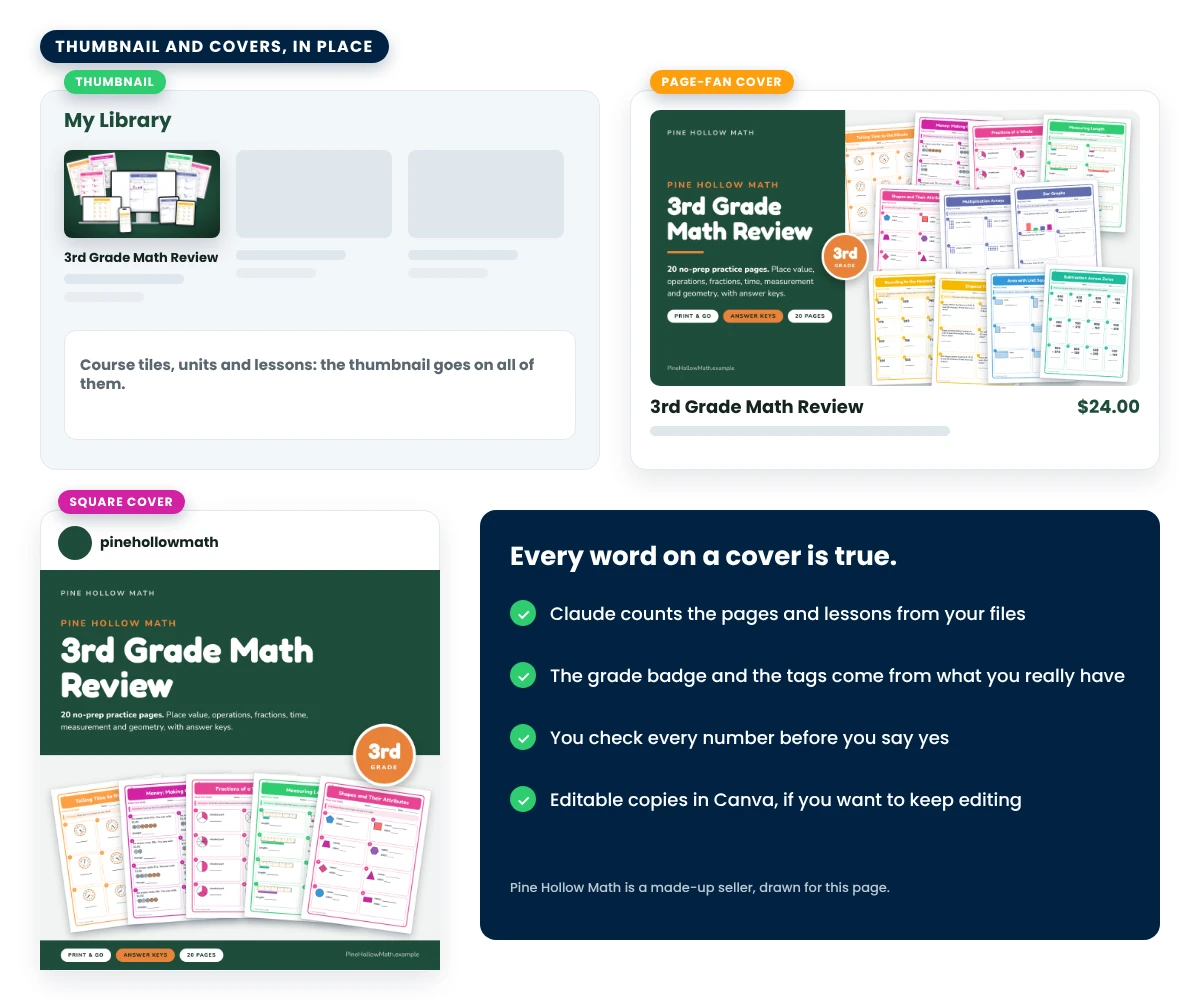
Use Kajabi? Claude gives you the link to Kajabi’s upload window and, with your yes, puts your thumbnail on your course tile, every unit and every lesson. Use Canva? Claude can build each picture as a Canva design you keep editing.
Claude only reads your files. It never moves, renames, deletes or shares them. Point it at a folder of copies anyway, and keep your originals somewhere Claude is not connected to.
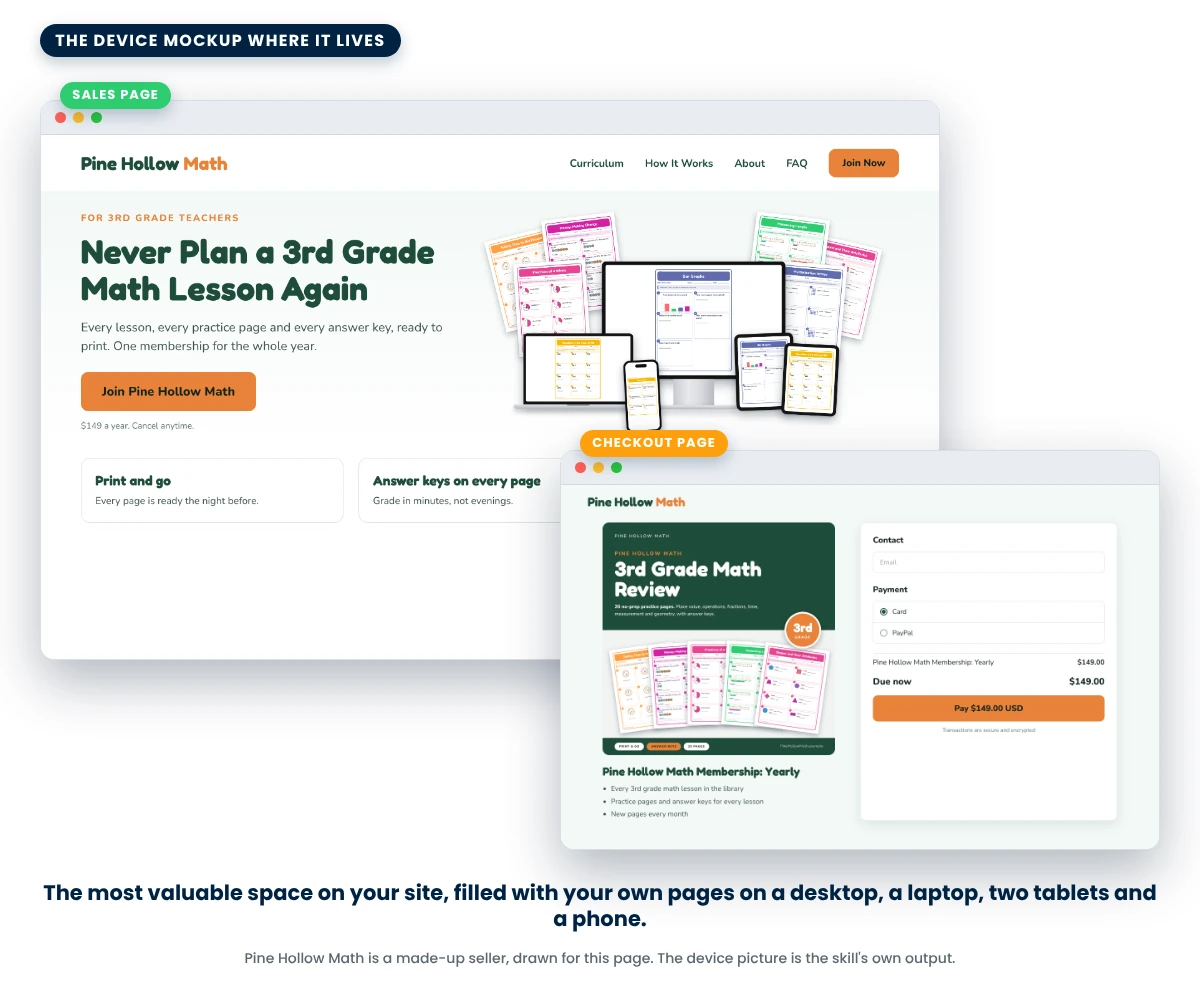
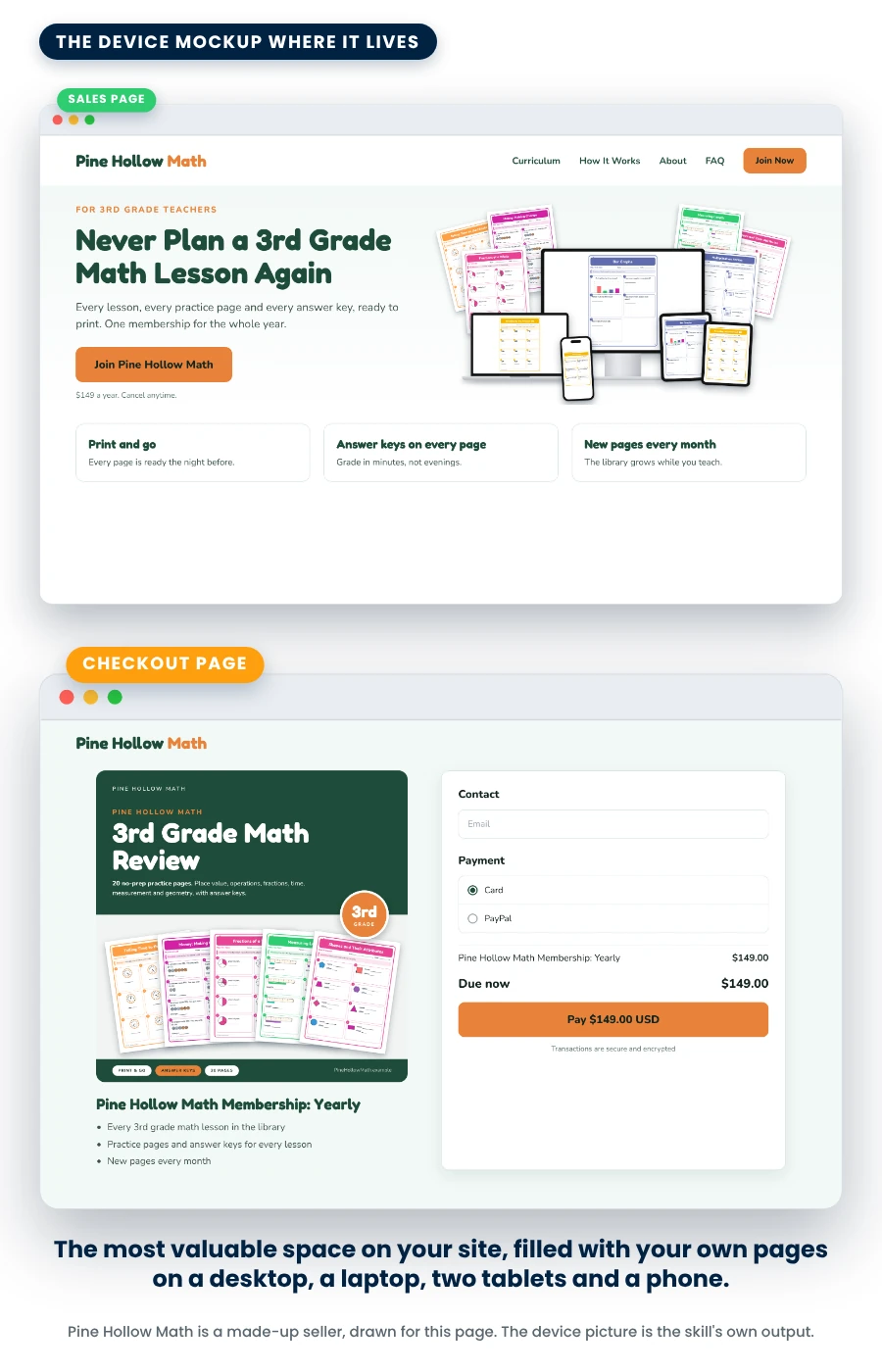
The device mockup
The most valuable space on your site, filled with your own pages.
The picture at the top of a sales page is where a visitor decides to keep reading. The device mockup puts your lessons on a desktop, a laptop, two tablets and a phone, with fans of your printed pages behind them.
- 2560 x 1400, see-through background, so it sits on any page color
- For the top of your sales page and your checkout page, plus a smaller web copy
- The screens show your pages, real screenshots of your member area, or mock member-area screens drawn with your real course and lesson names
- Claude picks the six most colorful pages and shows you the mockup beside a sample headline before you say yes
Pages that are mostly black-and-white text? Then the screens show your member area, real or drawn, never a gray wall of text.
Thumbnail and covers
Three more pictures, for every other place you sell.
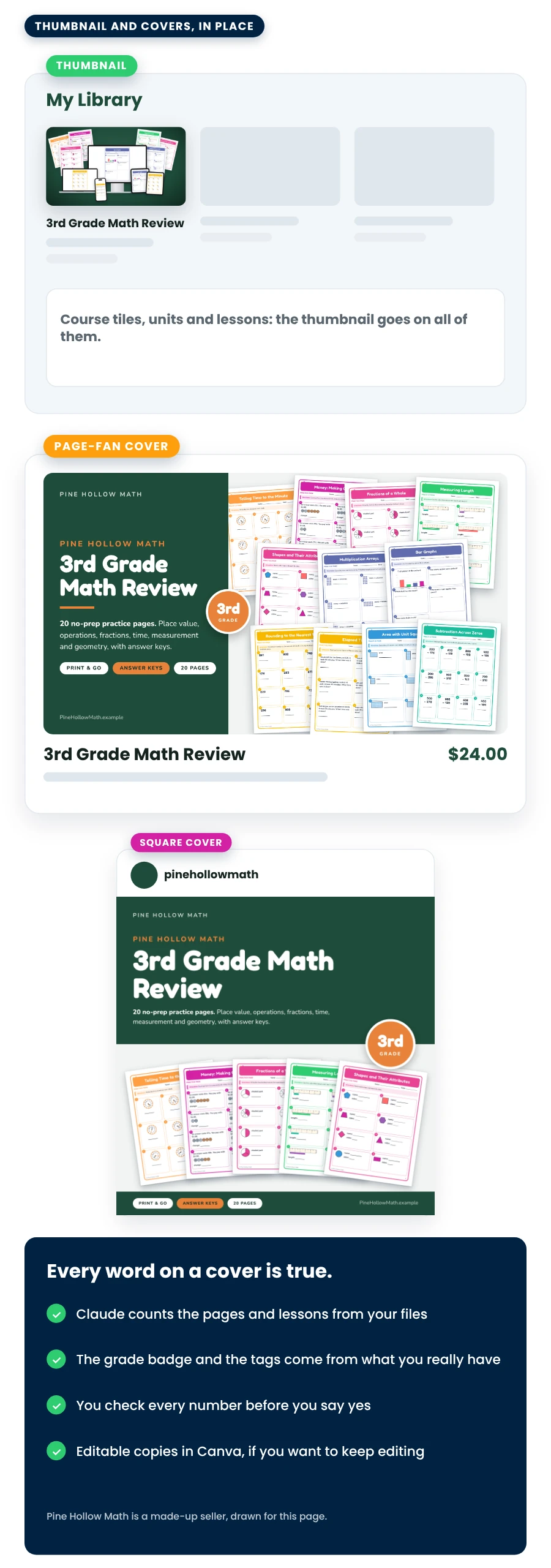
The same pages, the same brand, three more shapes. Each one is a finished PNG, and each one can also become a Canva design built in layers, if you want to keep editing.
- A thumbnail, 1280 x 720: the device arrangement on your main brand color, for your course tiles, your offers and your checkout
- A page-fan cover, 1280 x 720: a title panel in your brand, a grade badge and a fan of your real pages, for a store listing or an email
- A square cover, 1080 x 1080: for Instagram, store listings and email
- True words only: Claude counts the pages and lessons from your files and uses the grades and formats you really have
Canva copies need the Canva connector switched on in Claude. Skip them and the PNGs are complete on their own.
👋🏼 Hi, I’m Jeff Twiddy
What you get for $97
- The Mockup Builder skill file, to add to your own Claude. One file, added once.
- Click-by-click directions for every part, with the fixes to ask for when a picture isn’t right.
- Two short lessons: add the skill, make your pictures.
- Every product you make. No limit and no per-picture fee. One to five products in a run, and as many runs as you like.
For every product you pick:
- A device mockup, 2560 x 1400 with a see-through background, plus a smaller web copy
- A thumbnail, 1280 x 720, on your main brand color
- A page-fan cover, 1280 x 720, and a square cover, 1080 x 1080
- Canva copies of each picture, if you want them
- A notes file and the brief, the recipe for your pictures, so a later chat can change one
One payment of $97. Use it on every product you make.
✅ What you need before you buy
Three things, and two that are optional. You don’t need Kajabi, Canva or a designer.
🧠
A paid Claude plan
Claude is the AI assistant that makes the pictures. Any paid plan works: Pro, Max, Team or Enterprise. On Team or Enterprise, your admin may need to turn on skills and code execution first.
🖥️
A Mac or Windows computer with the Claude desktop app
Claude reads your pages and builds the pictures with small programs inside the skill, so it needs Code execution switched on. The directions show the click. A phone or a Chromebook will not do the build.
📁
Your resources in Dropbox, Google Drive or a folder on your computer
PDFs, PowerPoints or pictures. Claude brings in 15 to 40 of your best files per product and renders their pages. Give it a folder of copies, never your originals, and keep a backup somewhere Claude is not connected to.
🎨
Kajabi and Canva, only if you use them
With Kajabi connected, Claude can draw member-area screens from your real course and lesson names, and put your thumbnail on your courses, units and lessons. With Canva connected, each picture can also become a Canva design. Neither one is needed for the pictures.
💵 Claude is its own bill.
This skill doesn’t include a Claude plan. Check Claude’s prices at claude.com/pricing. Kajabi and Canva are their own accounts too.
Back up your files before you start. Claude only reads them and never deletes anything, but you should have a copy somewhere Claude is not connected to. The directions say so too.
“But what if...”
Let’s handle your questions.
“I’m not technical.”
“What is Claude?”
“What kinds of files does it read?”
“My pages are mostly black-and-white text.”
“Can I change a picture later?”
“Does it put the pictures into Kajabi?”
“Does it touch my files?”
“Is this in the Walk-Away Number Challenge?”
“What if Claude changes something?”
“Can I get a refund?”
“Can I share the skill?”
One payment of $97. Use it on every product you make.


Who’s behind this
I was a high school math teacher for 13 years and a head football coach. Then I built and sold multiple multi-million dollar curriculum businesses.
I’ve helped over 1,000 teacher sellers build real businesses beyond TPT: memberships, automated funnels, profitable ads, and recurring revenue that doesn’t depend on any algorithm.
I ran this skill on my own curriculum company’s resources first. I test everything I teach in my own business, so when it gets into your hands, it already works.
1,000+ teacher sellers helped8+ figures earned13 years in the classroom
Your pages are already good. Now let them look it.
One payment of $97. Use it on every product you make.
The pictures on this page were made by The Mockup Builder Skill itself from a sample bundle, 3rd Grade Math Review by Pine Hollow Math, built in October 2026 to show the skill (Pine Hollow Math is not a real store). The sales page, checkout page, member library and social post around them are drawings, not screenshots of any company’s product, and the devices in the mockup are drawings too. Claude is made by Anthropic. Kajabi, Canva, Dropbox and Google are separate companies and separate accounts, and none of them sponsors or endorses this skill. Teacher Seller School is not affiliated with or endorsed by TPT (Teachers Pay Teachers).
Earnings Disclaimer: This skill makes pictures for your products. What you earn depends on your products, your prices and your marketing, and there is no guarantee that you will earn any money using it. Subject to our Refund Policy, we provide content without any express or implied warranties. By continuing to use our site and access our content, you agree that we are not responsible for any decision you may make regarding any information presented or as a result of purchasing any of our products or services.